01
The sticker goes on before it comes off
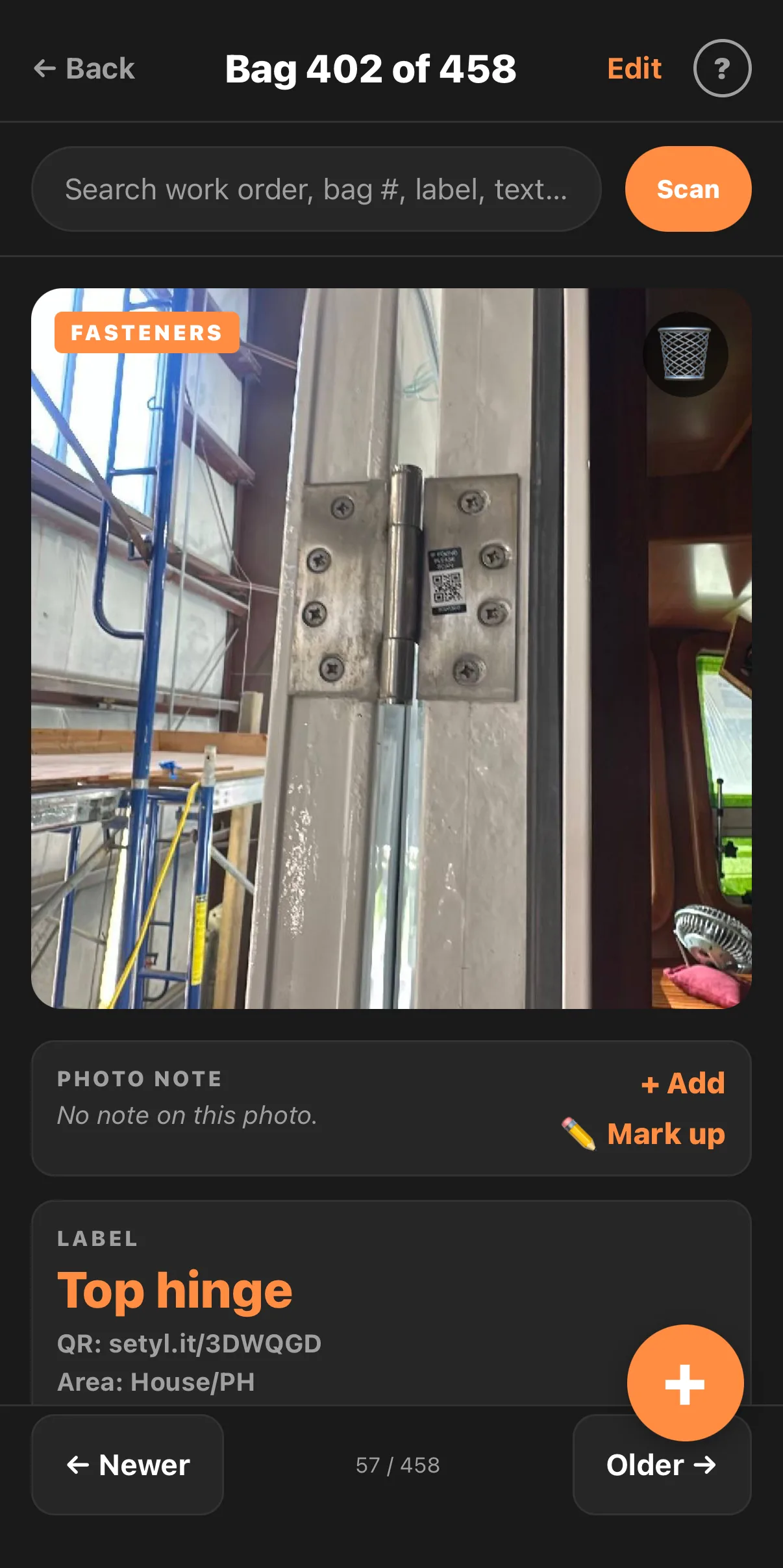
Photograph the part where it sits and put a QR sticker on it. The photo, the area and the fasteners land on the record there and then. Nothing to type, and it works with no signal.
An iPhone app for shop owners. Your techs tag every part as it comes off, so whoever puts it back has what he needs.

ReFitIQ was built at Philbrook's Boatyard in Sidney, British Columbia, with the technicians who use it, on refits their crew was running at the time.
They decided what it had to do. What a capture has to hold, and what the record needs to say in March when the boat goes back together: that came from the people doing the work, while they were doing it.
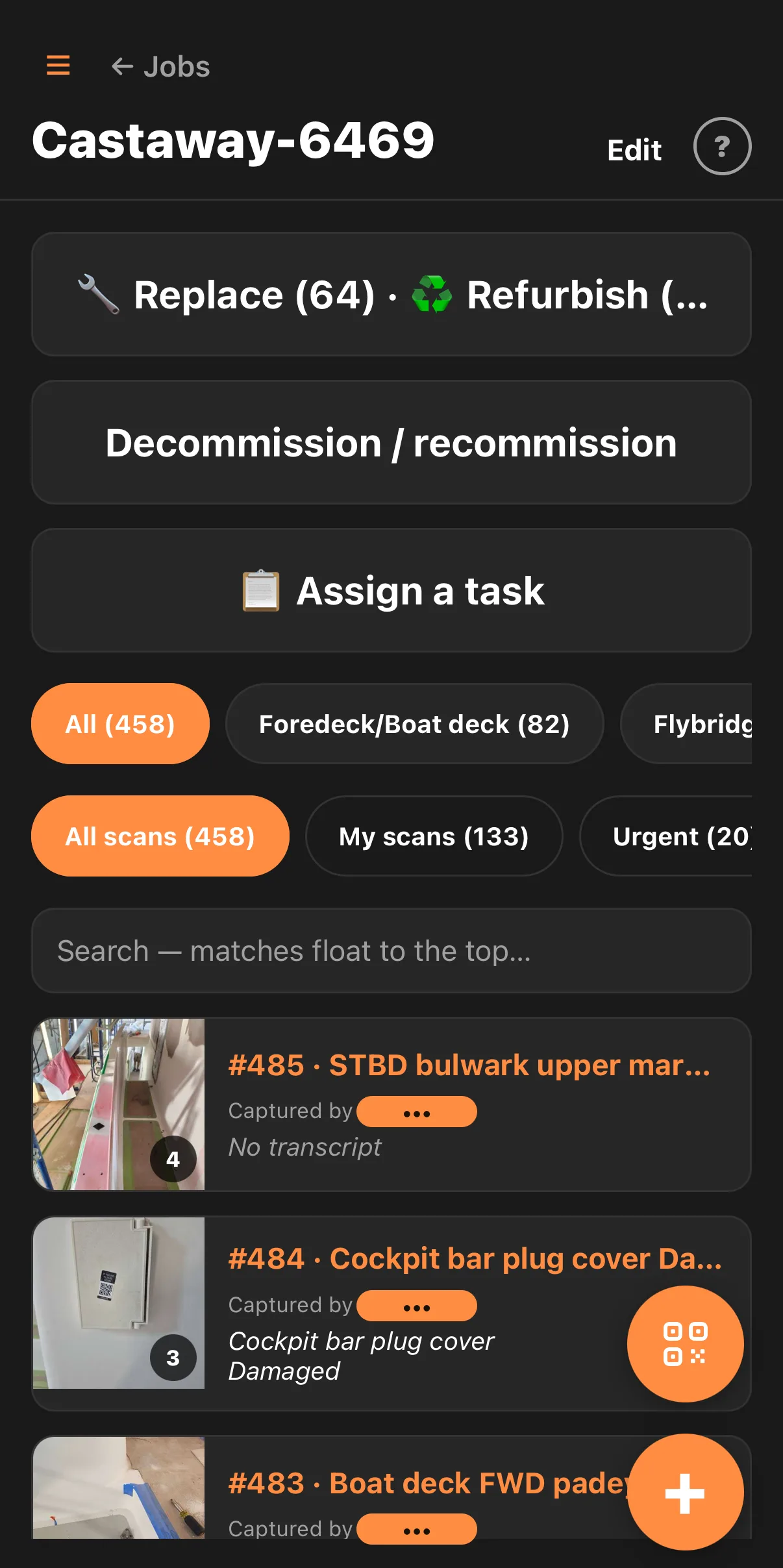
The boat file at the top of this page is one of their jobs. A Nordhavn 60, and 458 parts logged off it by the crew who pulled them.
None of it is logged, so none of it is a line item. It shows up as a job that ran three weeks long and a margin you can’t account for. That is payroll, and none of it goes on the invoice.
Photograph the part where it sits and put a QR sticker on it. The photo, the area and the fasteners land on the record there and then. Nothing to type, and it works with no signal.
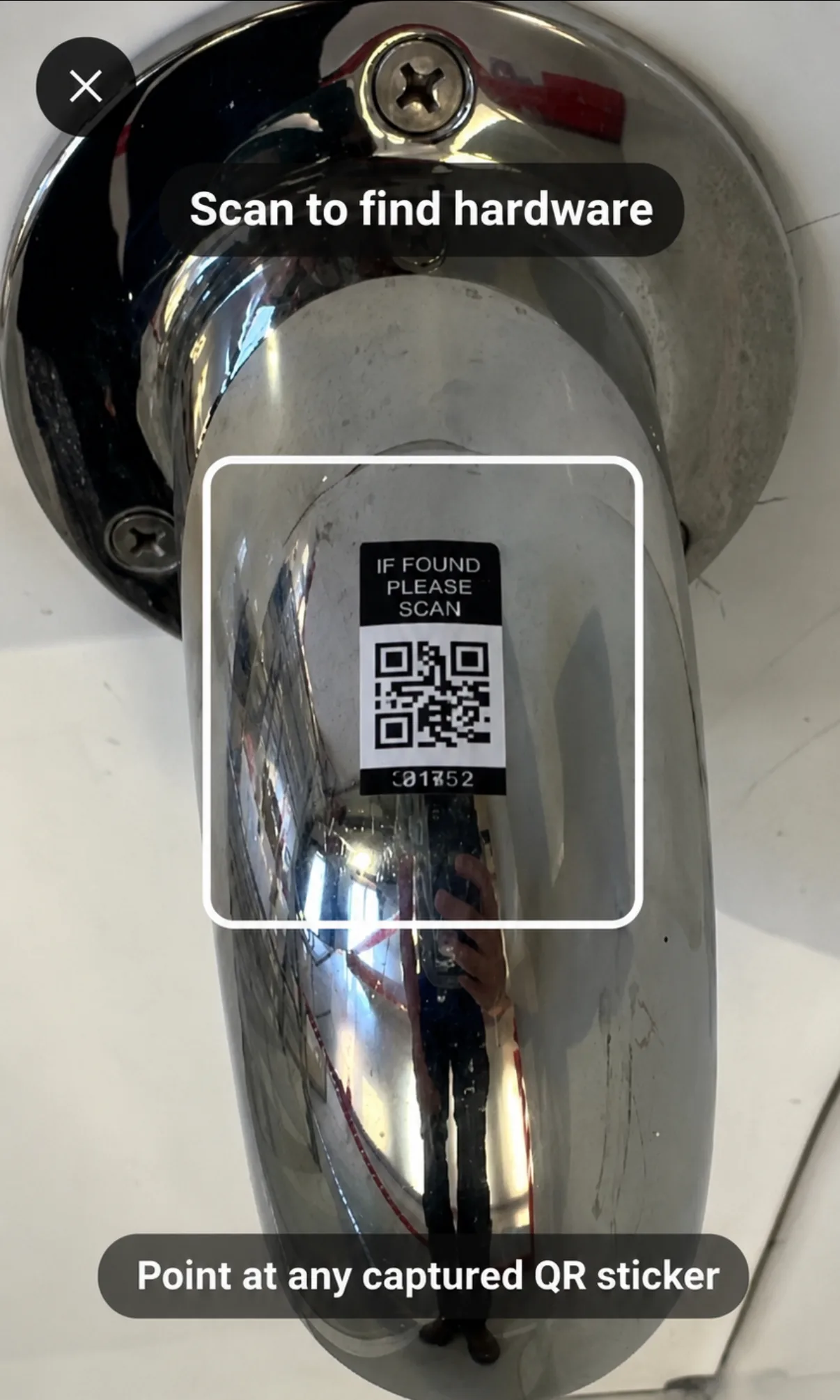
“If found please scan” is printed on the sticker. Scan it and the part’s file opens, with the photograph of where it came off and the fasteners it takes. Nobody has to work out which job number it was filed under.
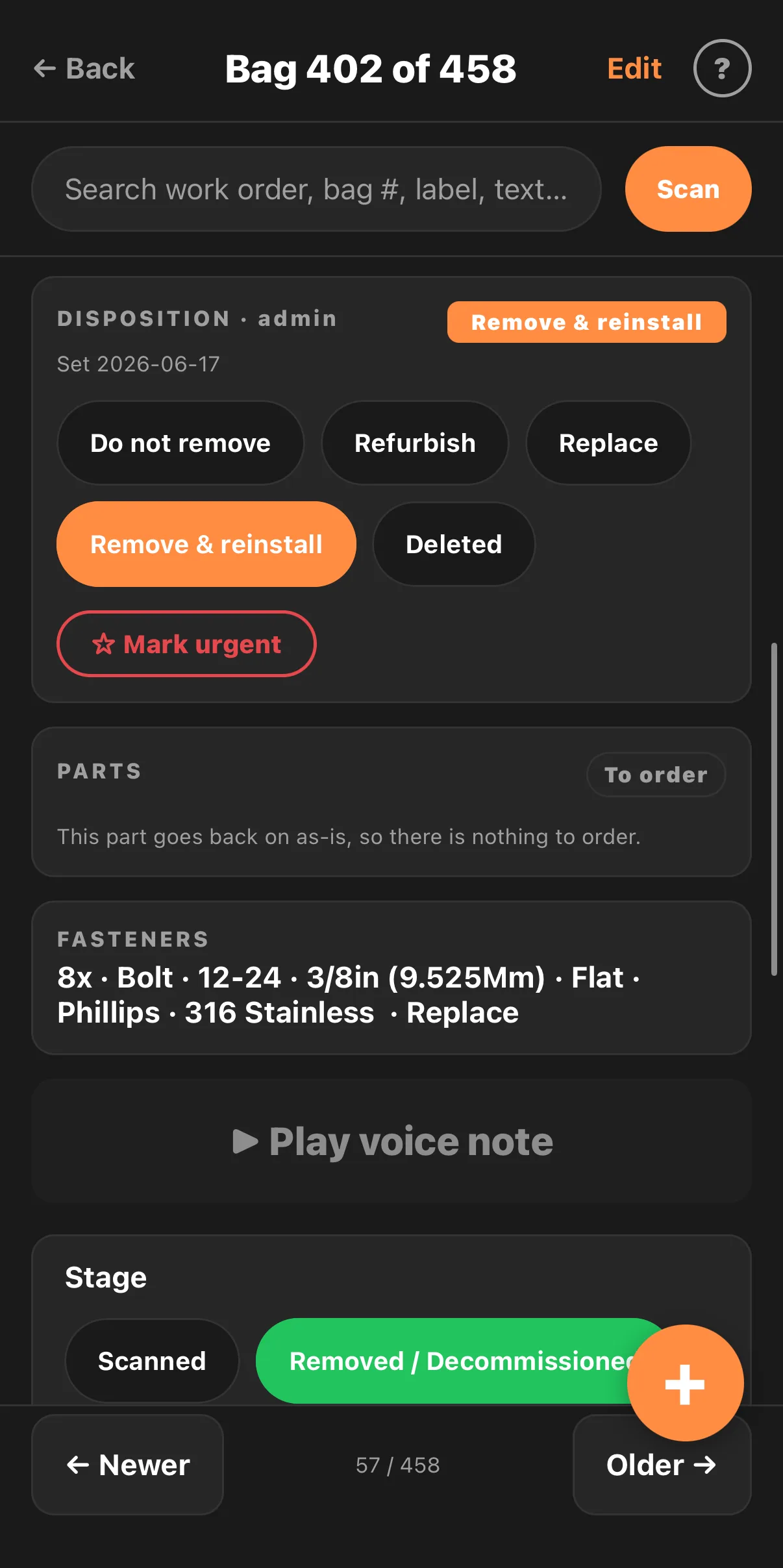
Remove and reinstall, or replace. The fasteners are written out in full: 8x, bolt, 12-24, 3/8in, Phillips, 316 stainless. Whoever pulled it can leave a voice note. All of it stays on the part and all of it is searchable.
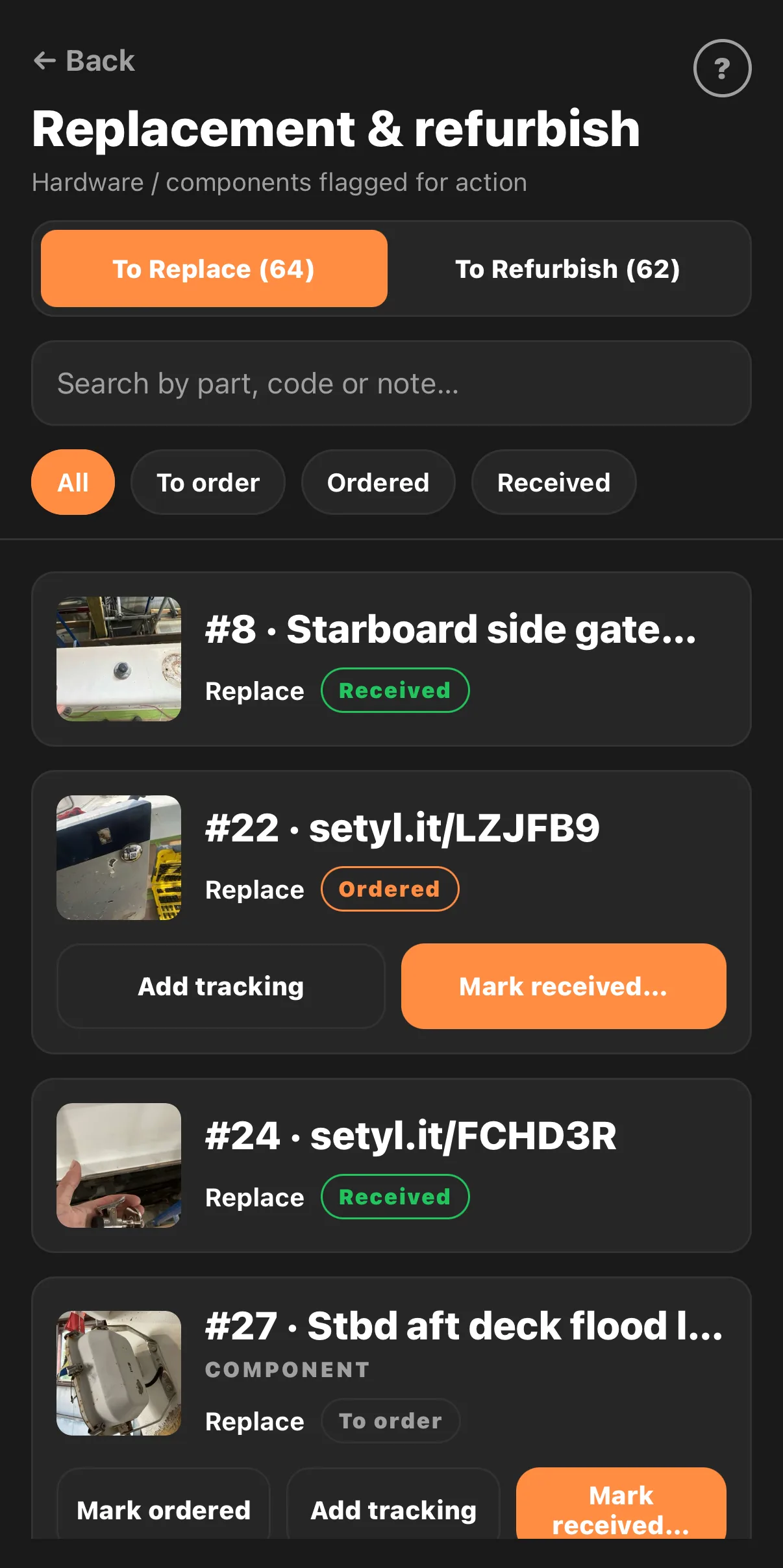
Everything flagged for replacement or refurbishment lands on one list, filtered by to order, ordered and received, with tracking numbers against it. Your parts desk already has the photographs it needs.
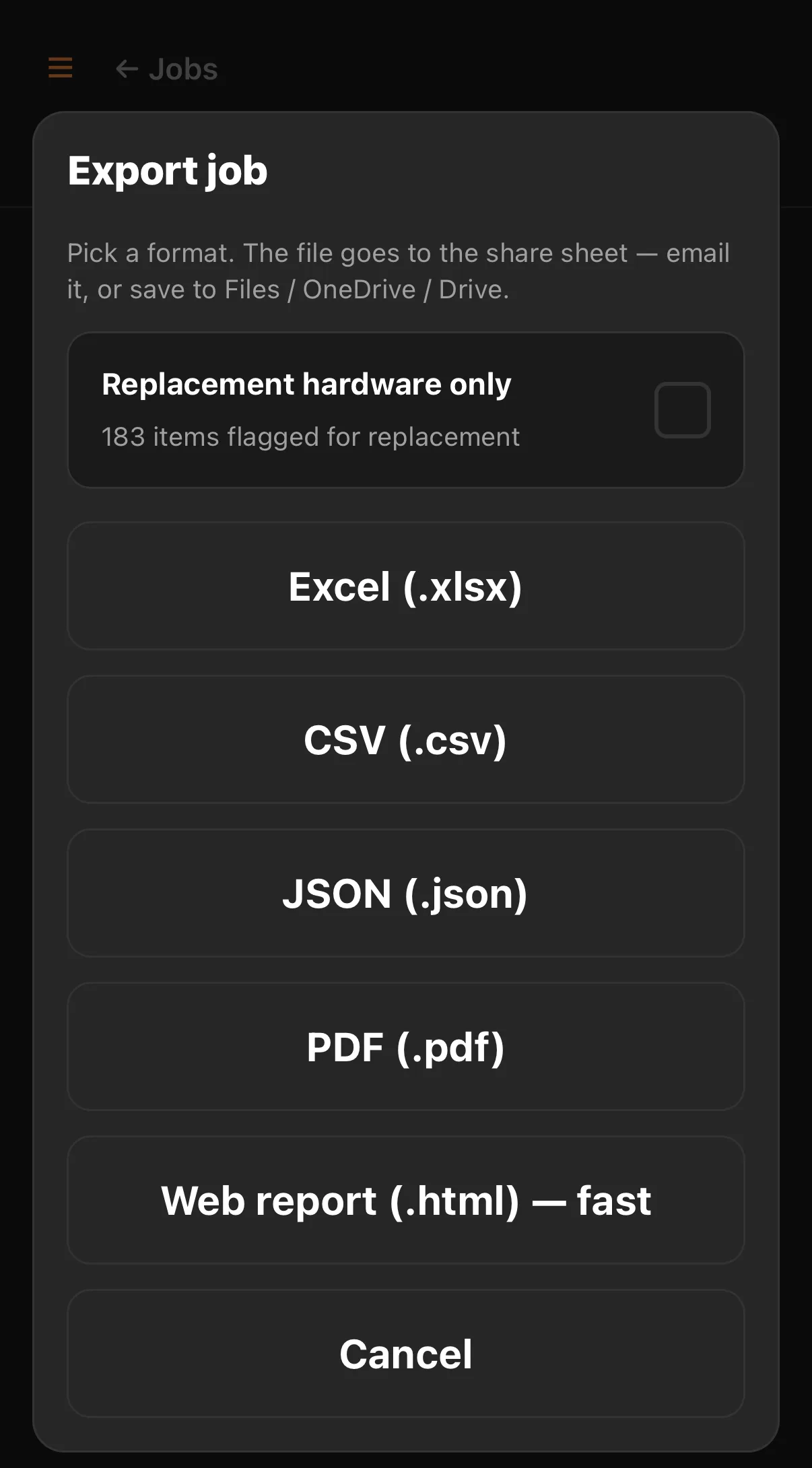
Send out the whole job, or just the 183 items flagged for replacement. Excel, CSV, JSON, PDF or a web report, photos attached. It goes to the share sheet, so you email it or drop it in Files.
Capturing a part is a photograph and a sticker. If you have no stickers the app numbers the bag for you. There is nothing to type. It runs offline anywhere in the shop and syncs when the phone finds signal. The job at the top of this page is a real one: 458 parts logged that way by the crew who pulled them.
Bags and masking tape work. This is the same method with the photographs attached and the counts kept, so it survives the tech who tore it down leaving mid-job. If what you run already does that, you don’t need us.
It is $99 to $299 a month for the whole shop, not per photo and not per job. At $130 an hour that is under one billable hour a month on Lite and under three on Max. The owner or admin seat is free. Extra techs are $15.
Twenty minutes a tech a day, spent looking for something that came off this job. That is the only assumption on this page. Change it below if it is wrong. We have not tried to put a number on the callback you couldn’t argue.
10 techs × 20 min/day × 240 working days × $130/hr. Labor only. It leaves out avoided duplicate orders and faster turnaround.
These are assumptions. We have no measured customer results to show you. The figure is labour only. It leaves out the duplicate orders you stop placing and the bay that frees up sooner.
Four of them. The teardown is the same job in all four, and so is the part nobody can find in March.
Whatever you run, the roles are separate: admins, team leads, techs and parts staff, each assigned to the jobs they work.
Every plan starts with the same 14 days free, and every tech on your crew is included. Seats are unlimited until you pick a plan.
More than 20 techs, or more than one location. Email support@refit-iq.com and we will price it.
Annual billing is two months free and add-on seats are $15 a tech. The owner or admin seat is free and doesn’t use one of your paid seats.
Nothing. Fourteen days with every feature switched on and every tech on your crew. You are not billed during it, and you are not billed after it unless you pick a plan. Signing up takes a shop name, a work email and a password.
All of them. Seats are unlimited for the 14 days, so you never have to pick a plan just to try it properly. Afterwards the owner or admin seat is free on every plan.
Yes. Capture runs offline and syncs when the device is back on a connection, which is the normal case in a shed, in a back bay or under a hull.
No. You can scan a QR or barcode if you already use them, or let ReFitIQ auto-number each bag. Both work the same way afterwards.
Yes. Admins, team leads, techs and parts staff are separate roles, and techs and team leads only see the jobs they are assigned to.
Nothing is deleted. The shop goes read-only, and you can still open and export every job with the photos attached. The export is a plain file you keep. It opens without ReFitIQ.
It is a phone app with a camera and a job list. The first capture takes about a minute. There is no implementation project.
Fourteen days with every feature and every tech on your crew. You are not billed until you pick a plan, and if you never pick one, nothing is deleted. The shop goes read-only and you can still export every job with the photos attached, as a file that opens without us.
Signing up takes a shop name, a work email and a password. About a minute.